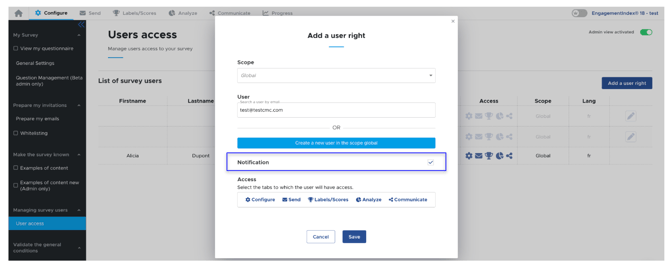
You have the ability to manage notification settings for each of your users.
To do this, go to the "User Access" tab, then click on "Add a user right" next to the user you want to update.
Simply check or uncheck the "Notifications" box, depending on whether you want to enable or disable notifications for that user.