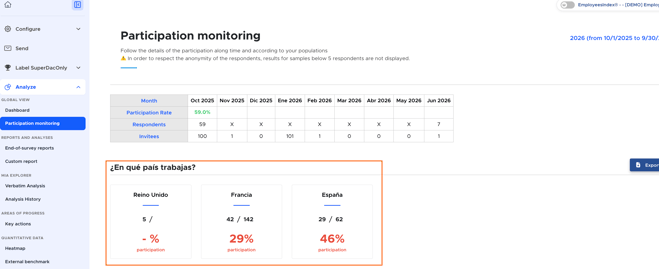
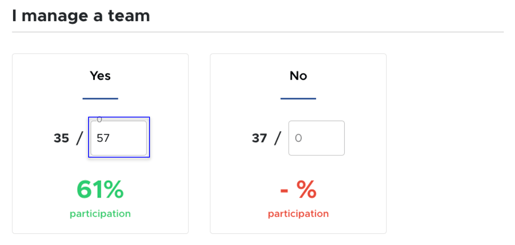
You have several ways to monitor the participation rate of your survey, including overall participation tracking, by time period, and by population group.
Overall participation tracking: "Certifications" page
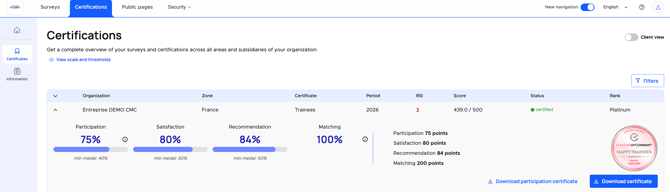
The primary and most effective way to track the participation rate is by going to the "Certifications" page of the survey. There, you’ll find real-time results for the participation rate and other accreditation criteria, broken down by country and by year.
Monthly participation tracking: "Analyze → Participation monitoring" tab
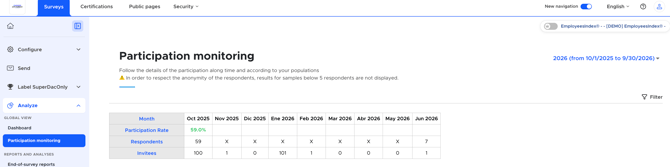
This tool is especially useful for annual surveys such as Trainees® and Candidates®. It allows you to easily monitor the number of invitees per month as well as the number of respondents. This makes it easier to plan targeted follow-up reminders.
Participation tracking by population: "Analyze → Participation monitoring" tab
This targeted tracking allows you to monitor the number of respondents based on your demographic questions. By default, you’ll see the prequalified questions you added (such as country, for example). The participation rate will be displayed once there are at least 5 respondents.