The invitation text templates are located in your survey → "Configure" → "Email templates."
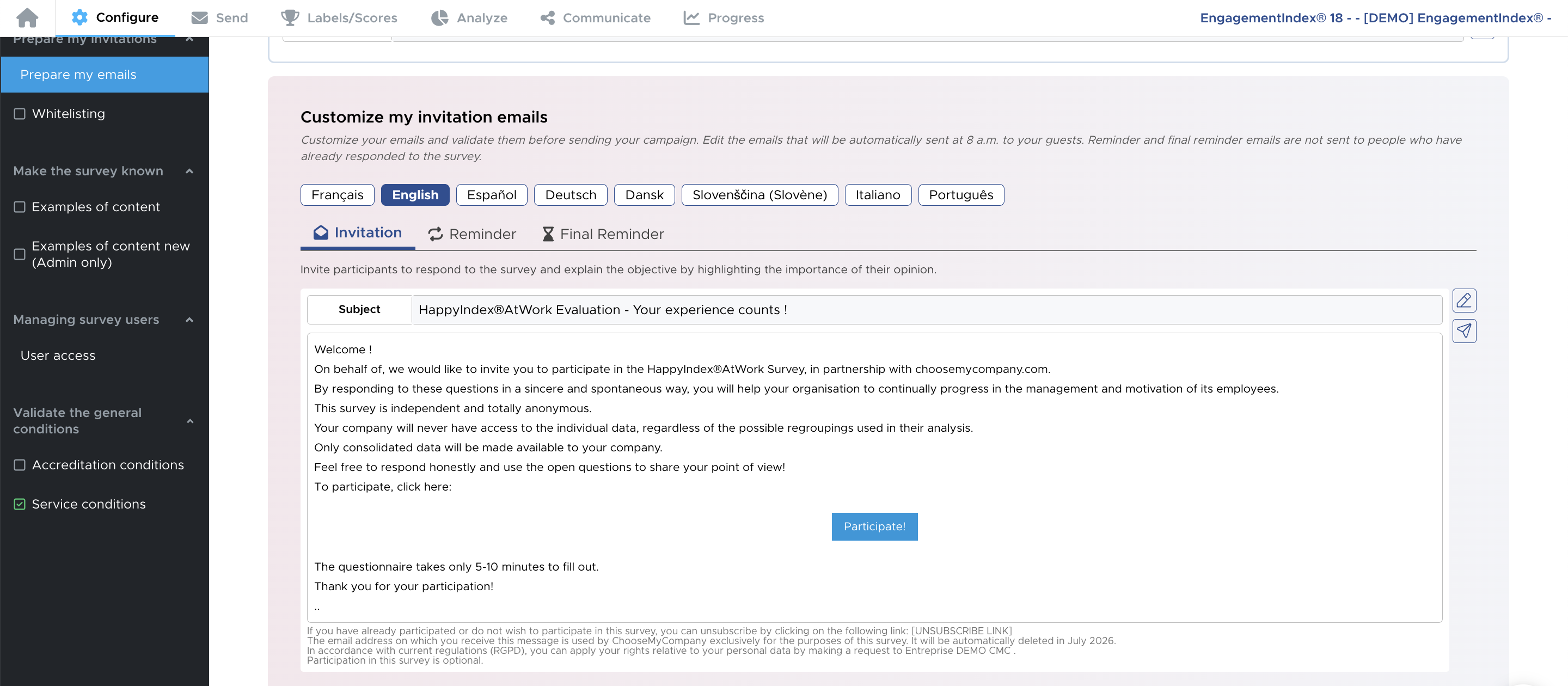
We offer an invitation email sent on the day the survey launches, a follow-up email used for the first and second reminders, and a final reminder email template for the fourth reminder.
The emails consist of a short text along with a button to participate in the survey.
What can be modified
- The texts
The texts can be modified in premium contracts.
You can add emojis and images.
To do so, you can make the changes directly from your interface !
- The sender alias
You can change the sender alias directly on your platform.

After changing the sender alias, we recommend conducting test sends to ensure that no message is marked as spam due to a mismatch between the alias and the email address.
- The GDPR contact email address : as part of GDPR regulations (by default, your company name is displayed).

What cannot be modified
- The email address: we cannot change the sending email address
- The signature: Apart from a few elements such as the GDPR contact email address or the data deletion date, this section cannot be modified